GoHighLevel for Real Estate Agents: The Complete 2026 Guide
If I wanted to consolidate 10+ tools into one platform and actually have it work for real estate, GoHighLevel is where I’d land. This isn’t one of those “perfect guru” solutions that sounds amazing until you try to set it up. GHL is tactically brilliant, saves most agents $300-1,300 per month, and genuinely replaces your CRM, email, SMS, scheduling, landing pages, and review management in ways that don’t suck.
Jump to Section
- What GHL Actually Is (and Why It Matters)
- Getting GHL Installed and Ready to Work
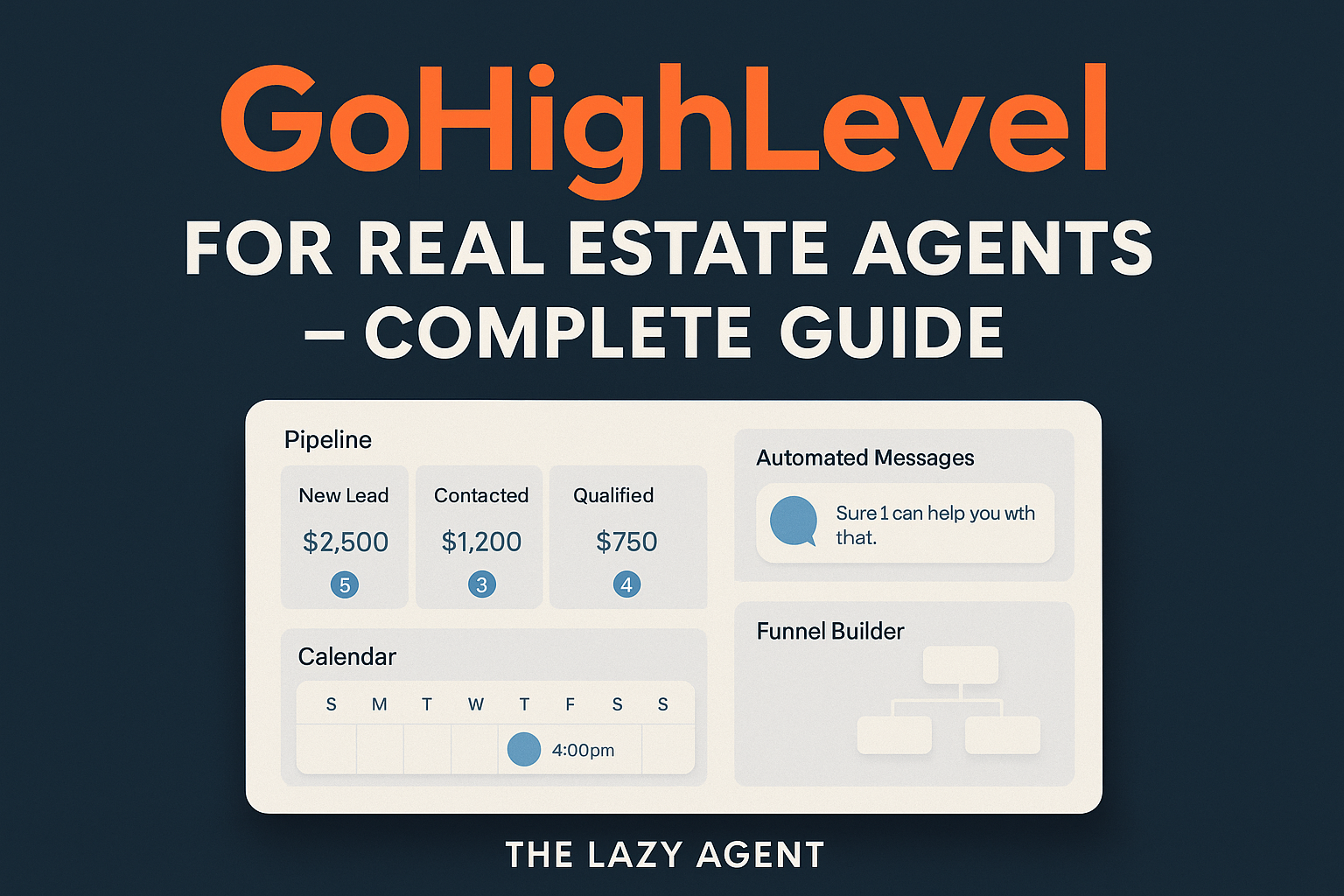
- Building Your Real Estate Pipeline
- SMS: Your Highest-Converting Channel
- Email Sequences That Actually Convert
- Reputation Management (The Underrated Money Lever)
- Social Media From One Dashboard
- 7 Must-Have Automations for Real Estate
- Tracking What Actually Works (KPIs That Matter)
- GHL vs Other CRMs (Honest Breakdown)
- Zapier, Webhooks, and Custom Integrations
- Building Funnels That Capture Leads
- Real ROI Math for Real Estate
- Real Questions, Real Answers
What Is GoHighLevel? (And Why You Should Actually Care)
Here’s the shame-on-me moment I need to get out of the way: I spent years telling agents they needed separate tools for everything. A CRM here, email there, text messaging somewhere else, landing pages on top of that. It made sense from a “specialization” angle. Every tool was supposedly best-in-class at one thing.
Except that’s not how agents actually work. You don’t have time to log into seven different dashboards. You’re selling houses, not managing software infrastructure.
GoHighLevel started as a white-label platform for agencies, but it evolved into something genuinely useful for real estate agents because it solves the real problem: one dashboard for your entire operation.
What GHL Replaces (Actual Tool Elimination)
I’m not talking about “integration” where you still need three subscriptions. I mean actual replacement:
- Follow Up Boss / kvCORE / LionDesk (CRM): Full contact management, pipeline, task system — $69-499/mo saved
- Mailchimp / Constant Contact (Email): Drag-and-drop builder, automations, segmentation — $20-100/mo saved
- Textedly / EZ Texting (SMS): A2P-compliant messaging, bulk sending, automations — $25-50/mo saved
- ClickFunnels / Leadpages (Landing Pages): Pre-built templates, form builders, auto-responders — $97-297/mo saved
- Calendly / Acuity Scheduling (Appointments): Calendar sync, reminders, routing — $12-16/mo saved
- BirdEye / Podium (Review Management): Google review requests, Google Business Profile sync — $249-399/mo saved
- Hootsuite / Buffer (Social Media): Multi-platform posting, scheduling, analytics — $49-99/mo saved
That’s $540-1,360 monthly. You’re paying $97-297 for GHL. The math is what I call “highly, highly recommend” territory.
Getting GHL Installed and Actually Ready to Work
Before I show you how to optimize GHL for real estate, we need to establish the fundamentals. A lot of agents download the platform, click around, get overwhelmed, and abandon it. I want to make sure you set it up correctly from day one so you don’t waste time rebuilding later.
Step 1: Account Creation and Phone Setup
Start with a free 14-day GHL trial. During onboarding, you’ll choose between Agency plan (great for teams) or Freelancer plan (solo agents). Pick Freelancer unless you’re managing other agents.
Phone Configuration: GHL needs a phone number for SMS. You have two options. First: connect a traditional business number (you’ll get an SMS add-on from your carrier). Second: integrate Twilio (my recommendation for high-volume senders). Twilio gives you a dedicated SMS number plus unlimited sending. Go to Settings > Integrations > Twilio, grab your Account SID and Auth Token, and paste them in. Done.
Email Setup: Connect your business email domain for branded outreach. Navigate to Settings > Email, add your domain (e.g., yourname@yourrealestate.com), and let GHL walk you through DNS authentication (SPF, DKIM, DMARC records). This feels technical but it’s copy-paste work. Completing this step boosts email deliverability to 95%+. Worth the 15 minutes of friction.
Step 2: Domain and Website Integration
GHL lets you build a full website or just use landing pages. If you’re building in GHL, connect your domain via CNAME record. Settings > Domains > follow the instructions for your registrar (GoDaddy, Namecheap, etc.). Then you can build property showcase pages, a buyer search page, and your main agent website without touching code.
Step 3: SMTP Configuration (Optional but Smart)
For advanced email control, set up SMTP in GHL. Settings > Email > SMTP Configuration. Enter your email provider’s SMTP details (Gmail uses smtp.gmail.com:587). This ensures your emails bypass spam folders more reliably than even GHL’s native sending.
Step 4: Build Your Sales Pipeline (The Foundation)
Your pipeline is the heartbeat of GHL for real estate. Create stages that mirror your actual deal journey:
- New Lead — Just arrived from Zillow, Facebook, your website, or past client referral
- Contacted — You’ve made first contact; automated text has been sent
- Appointment Set — Buyer or seller consultation scheduled
- Showing Scheduled — Property showing locked in; reminders activate
- Offer Submitted — Offer written; negotiation follow-up fires
- Under Contract — Contract signed; inspection/appraisal monitoring begins
- Closed — Deal closed; review request sequence starts automatically
Each stage should trigger automations. Lead enters “Contacted”? Automated text goes out. Hits “Appointment Set”? Calendar confirmation fires. This is where GHL stops being a nice-to-have and becomes an absolute gamechanger — nothing slips through the cracks because the system doesn’t let it.
Step 5: Custom Fields for Real Estate Data
Create custom fields to capture data that will power your automations:
- Property Type Preference (Single Family, Condo, Townhome, etc.)
- Price Range (Min / Max)
- Timeline (Next 30 days, 3-6 months, 6-12 months)
- Pre-approval Status (Amount approved)
- Agent Notes (Internal use only)
- Lead Source (Zillow, Facebook, Referral, Open House, etc.)
- Buyer / Seller / Both tags
These fields become the triggers for your automations. A buyer with a $400K max budget won’t get emails about $600K homes. Before I show you segmentation, we need this data foundation.
Step 6: Import Your Existing Contacts
GHL accepts CSV imports. Export your contacts from your old CRM, tag them by source (past clients, Zillow leads, open house visitors, referrals), and bulk import. During import, map your CSV columns to GHL fields so addresses, phone numbers, and custom data land in the right places.
Understanding Your Pipeline: Stages and Automations
Your pipeline isn’t just for organization. It’s the architecture of your entire automation system. Every stage should trigger specific actions that move leads closer to closing.
Stage-by-Stage Breakdown: What Happens Automatically
Task Templates and Consistency
GHL’s task system ensures nothing falls through cracks. When a lead hits a new stage, automatically assign tasks to your calendar. Create templates like “Same-Day Showing Follow-Up” so every showing gets a follow-up call within 8 hours. No guesswork. No relying on memory.
SMS: Your Highest-Converting Channel (98% Open Rate)
Email is great for relationships. SMS is for closing deals right now. Text messages get opened 98% of the time. Response rates are 3-5x higher than email. But here’s the really big problem most agents run into: SMS is regulated like crazy by carriers. Do it wrong and your messages get blocked.
A2P 10DLC: Your SMS Passport
If you’re sending 100+ texts monthly, you need A2P 10DLC registration. This isn’t optional anymore — carriers are straight-up blocking unregistered high-volume senders. The process takes 7-14 days:
- In GHL: Settings > Phone Numbers > Register for A2P 10DLC
- Provide business info (EIN, business license, registered agent)
- Select use case: “Real estate marketing and lead nurturing”
- Provide sample message content
- Wait for carrier approval
Why does this matter? Registered numbers get 20x faster throughput (20 SMS per second vs 1 per second) and a green checkmark in recipients’ phones. That green checkmark increases response rates by 15-30% because people trust it.
Warm-Up Schedule (Don’t Burn Your Reputation)
Carriers track your sending patterns. Start slow, scale fast:
- Week 1: 50-100 messages daily (only to engaged leads)
- Week 2: 200-300 messages daily
- Week 3: 500-800 messages daily
- Week 4+: Scale to your carrier limit (typically 1,000-5,000/day)
Start with warm leads — past clients, referrals, people who engaged with your emails. Build a positive sender reputation from day one.
TCPA Compliance (This Actually Matters)
The Telephone Consumer Protection Act is real. Ignore it and you’ll face fines. Here’s what matters: include “Reply STOP to unsubscribe” in every marketing text. Don’t text before 8 AM or after 9 PM. Don’t send more than 2 marketing texts per week to the same person (transactional messages like appointment reminders are unlimited). Always have prior express written consent before texting someone.
GHL handles opt-outs automatically — when someone texts STOP, they’re removed from marketing within seconds.
SMS Message Templates (Copy-Paste These)
Speed-to-Lead (Send within 60 seconds):
“Hi [Name], thanks for your interest in [property]. This is [Agent Name] from [Team]. I have similar homes you might love. Can I call you in the next 10 minutes? Reply ASAP or call [number].”
Follow-Up (No response after 24 hours):
“[Name], just checking in! Still interested in homes in [area] around $[price]? I have 3-4 that just hit the market. When are you free this week?”
Appointment Reminder (24 hours before):
“Hi [Name], excited to see you tomorrow at [time] for [property]. Address: [address]. Any questions? Call/text me anytime. [Number]”
Post-Showing (Same day):
“[Name], thanks for viewing [address] today! What were your first impressions? Want to discuss? I’m here for any questions. Call me.”
Email: Building Relationships That Convert
While SMS is for urgency, email is for trust-building. You’re telling your email list about market updates, new listings, neighborhood guides, and your value. GHL’s email builder is drag-and-drop. No code required.
Deliverability Rules (So Your Emails Actually Land)
Your emails only work if they hit inboxes, not spam. Follow these rules:
- Authenticate your domain: SPF, DKIM, DMARC records. Emails land 40% more often.
- Use a real name: “From: [Your Name]” not “From: Marketing.” Personal emails have higher open rates.
- Avoid spam triggers: No ALL CAPS, no excessive punctuation (!!!), no “free money” language.
- Include unsubscribe link: You’re legally required. GHL does this automatically.
- Keep subject lines short: Under 50 characters. Mobile users see truncated subjects.
- Watch list hygiene: Remove bounced emails monthly. High bounce rates destroy sender reputation.
Built-In Email Templates
GHL comes with pre-built email templates for real estate:
- Welcome sequences for new leads
- Property showcases with photo galleries
- Market update newsletters
- Review request emails
- Closing day congratulations
- Holiday sequences
- Just Listed and Just Sold announcements
Create one branded email template with your logo, photo, and signature. Use it everywhere for consistency.
Segmentation (Don’t Spray Everyone the Same Email)
Sending the same message to everyone kills open rates. Segment your list. Example segments:
- Buyer Segment: New listings, mortgage rate updates, first-time buyer guides
- Seller Segment: Market analysis, staging tips, pricing guides, sold comps
- Past Client Segment: Home value updates, referral bonuses, anniversary greetings
- Unresponsive Segment: Higher-value content: case studies, free market reports, special offers
- Hot Lead Segment (3+ engagements): Appointment booking links, property alerts, personal calendar link
A/B Testing One Variable at a Time
Test one element per campaign:
- Subject Line Test: “Homes Under $500K in [City]” vs “Just Listed: 3BR/2.5BA”
- Send Time Test: Tuesday 9 AM vs Thursday 2 PM
- Sender Name Test: “[Agent Name]” vs “[Agent Name] + Team”
- CTA Test: “Schedule a Showing” vs “Let’s Talk About Your Home Goals”
Run each test for one week. Use the winner in your next campaign. Small improvements compound into 20-30% higher open rates over time.
Get the Full GHL Automation Playbook
Real estate agents using GHL are closing more deals while working fewer hours. I’ve built a complete workshop showing you every automation that works.
Reputation Management: Your Most Underrated Revenue Driver
Here’s what I know: Agents with 4.5+ star ratings get 40% more buyer and seller inquiries. Your online reputation is literally your competitive advantage. GHL automates the entire review-generation process so you’re consistently building your rating.
The Review Request Automation Flow
Create one automation that fires after every closing. This is the really big problem most agents solve badly — they ask once, get distracted, and never build velocity:
- Day 0 (Closing): Send congratulatory email with direct Google review link. Subject: “Help Us Grow Our Business — Write a Review”
- Day 3: Send text: “[Client Name], would you share your experience? Google review link: [link]. Just 30 seconds!”
- Day 7: Send email asking for video testimonial: “We’d love a 30-second video of you talking about working with us. Can we schedule a quick recording?”
- Day 14: Final text: “Last reminder! One Google review helps us serve more families like yours. Link: [link]”
This multi-channel approach works. You’re asking the same person through different channels at different times.
Google Business Profile Integration
Connect your Google Business Profile to GHL. Settings > Integrations > Google Business Profile, authorize, select your location. Now all new reviews sync to GHL automatically, and you can respond without leaving the platform.
Review Response Templates (Respond to All Reviews)
Responding to every review — even negative ones — signals to Google that you’re active. This boosts your ranking. Use these templates:
5-Star Review: “Thank you, [Name]! We’re thrilled we exceeded your expectations. We’d love to help more families like yours. Please refer anyone you know!”
4-Star Review: “Thanks for the feedback, [Name]! We appreciate your kind words. If there’s anything we could have done better, please let us know. We’d love another chance to serve you.”
3-Star or Lower: “[Name], we’re sorry your experience wasn’t perfect. We take your feedback seriously. Please call us at [phone] so we can make this right.”
Building Review Velocity (1-2 New Reviews Per Week)
Google’s algorithm rewards consistent growth. Aim for 1-2 new reviews weekly:
- Automate review requests for every transaction (shown above)
- Ask in person at closing (your strongest ask)
- Create a QR code linking to your Google review page; display it in your office
- Include your review link in email signatures and closing documents
- Incentivize referrals with gifts, but NEVER incentivize reviews (violates Google policy)
Social Media: Manage Five Platforms from One Dashboard
GHL’s social media planner handles Facebook, Instagram, LinkedIn, Twitter, and TikTok from one place. No more logging into five different accounts. Schedule content, track analytics, manage comments — all from one dashboard.
Content Calendar Strategy (Batch and Schedule)
Create a content calendar and batch-schedule one week at a time:
- Monday: Market Update — “Market Snapshot: [City] Homes Selling 20% Faster”
- Tuesday: Listing Showcase — “Just Listed! 3BR/2BA with Views”
- Wednesday: Educational — “First-Time Buyers: 5 Mistakes to Avoid Getting Pre-Approved”
- Thursday: Lifestyle — Behind-the-scenes, team photos, community events
- Friday: Closed Deal — “Sold! Congratulations to the [Family]!”
- Saturday-Sunday: Community spotlights, open house reminders
Post Types That Actually Perform
- Carousel Posts: Before/after renovations, property walkthroughs, market comparisons
- Reels (Instagram/Facebook): 15-30 second property tours, market updates, agent tips
- Stories: Open house updates, day-in-the-life, quick tips (expires in 24 hours)
- Video Posts: Neighborhood tours, client testimonials, “Why I Love [Area]”
- Text-Only Posts: Motivational content, real estate wisdom, client success stories
Metrics That Matter (Weekly Review)
Check these metrics every Friday:
- Reach: Unique people who saw your post. Target: 500-1,000 per post
- Engagement Rate: (Likes + Comments + Shares) / Reach. Target: 3-5% for agents
- Click-Through Rate: Percentage who clicked your link. Target: 2-5%
- Save Rate: People who saved your post. High saves = quality content
Double down on top performers. If educational content gets 2x more engagement, create more educational content.
Platform-Specific Strategy (Don’t Copy-Paste Everywhere)
- Facebook: Local community content, listings, market updates. Audience: 35-65
- Instagram: Lifestyle, property photography, renovations. Audience: 25-45
- LinkedIn: Thought leadership, team announcements, industry insights. Audience: Professional
- TikTok: Short-form video, trending sounds, behind-the-scenes. Audience: 18-35
Use GHL’s multi-account publishing to post tailored content to each platform.
Seven Must-Have Automations for Real Estate Agents
This is where GHL becomes an absolute gamechanger. These automations run 24/7 on autopilot. You sleep, they work. You’re in a closing, they follow up. You’re on vacation, they nurture leads. Here are the seven that matter most for real estate.
1. Speed-to-Lead: Respond Faster Than Your Competition
When a new lead arrives (from Zillow, your website, Facebook ads, Google ads), GHL sends a personalized text within 60 seconds. Studies show that responding within 5 minutes makes you 21x more likely to qualify a lead. GHL responds in under a minute — even at 2 AM.
The automation continues: if they don’t respond to the text, a voicemail drop fires. Then an email follow-up. You’re stacking touchpoints while they’re still deciding who to call.
Setup: Create automation triggered on “Contact Created.” Action 1: Send SMS with personalization tokens. Action 2 (wait 5 min): Send voicemail drop if no response. Action 3 (wait 2 hours): Send follow-up email.
2. Long-Term Nurture Campaigns: The NAR Says 10-12 Weeks Is Normal
Most agents give up after 2-3 follow-ups. But the National Association of Realtors says the average home search takes 10-12 weeks. GHL lets you build 90-day, 6-month, or 12-month nurture sequences that mix emails, texts, and voicemail drops. Each touchpoint provides value: market updates, neighborhood spotlights, mortgage rate alerts. You stay top-of-mind until they’re ready to act.
Setup: Create automation with 12 steps over 90 days. Alternate SMS and email. Personalize based on buyer/seller tags and price range.
3. Appointment Booking and Reminder System: 40-60% Reduction in No-Shows
Create dedicated calendar links for buyer consultations, listing presentations, and property showings. GHL sends automated confirmations, 24-hour reminders, 1-hour reminders, and follow-up surveys after every appointment. Agents using this report 40-60% reduction in no-shows because reminders go via SMS AND email.
Setup: Link calendar to GHL. Create “Book a Consultation” form with Calendly integration. On appointment creation: confirmation email (immediate), SMS reminder (24 hours before), SMS reminder (1 hour before), follow-up survey (30 minutes after).
4. Review Request Automation: Build Your Reputation on Autopilot
After every closing, GHL automatically sends a review request sequence. First a text asking for Google review (with direct link), then an email asking for video testimonial. This runs on autopilot and consistently builds your Google Business Profile rating, which directly impacts local SEO and referrals.
Setup: Automation triggered when contact moves to “Closed” stage. Sequence: Text with Google review link (day 0) → Email with video testimonial request (day 3) → Text reminder (day 7).
5. Open House Follow-Up Machine: No More Lost Sign-In Sheets
Create a GHL form or QR code for open house sign-ins. As soon as visitors register, they’re tagged and dropped into automated sequence: thank-you text with listing details, email with similar properties, task created for you to call within 24 hours. No more lead loss from paper sign-in sheets.
Setup: Create “Open House Visitor” form with name, phone, email, property address. Automation: Send SMS (immediate), send email with similar property matches (1 hour later), create task (assign to your calendar).
6. Listing Launch Campaign: Blast Your Listings Everywhere Simultaneously
When you add a new listing, trigger multi-channel campaign: email blast to matching buyers, social posts across platforms, Just Listed text to your sphere, dedicated landing page with virtual tour and inquiry form. One trigger launches everything simultaneously.
Setup: Automation triggered on new listing. Sequence: Create social media post (publish to Facebook/Instagram), send email to matching buyers, send SMS to sphere of influence, create landing page from template.
7. Past Client Anniversary Drip: 60-70% of Your Future Business
Set up annual home purchase anniversary messages, holiday greetings, and quarterly market update texts to past clients. Top agents report 60-70% of their business comes from referrals. This automation ensures you never lose touch with the people who’ve already trusted you once.
Setup: Create recurring automations: Anniversary email (yearly on purchase date), holiday greeting (Dec 15), market update (quarterly: Jan 15, Apr 15, Jul 15, Oct 15). Personalize with their home value and market data.
Tracking What Works: KPIs That Actually Matter
You can’t improve what you don’t measure. GHL’s reporting dashboard shows exactly which channels, campaigns, and automations drive revenue. Every Friday, I want you reviewing four core metrics.
Real Estate KPIs That Matter
- Lead Cost: Total ad spend / leads generated. Target: Under $5 per lead
- Lead-to-Appointment Conversion Rate: Appointments / leads. Target: 20-40%
- Appointment-to-Showing Conversion Rate: Showings / appointments. Target: 70-90%
- Showing-to-Offer Conversion Rate: Offers / showings. Target: 30-50%
- Close Rate: Closed deals / offers. Target: 70-90%
- Days on Market: Days from listing to closed deal. Lower is better
- Average Commission per Deal: Track by deal type and agent
- Cost Per Closed Deal: (Marketing spend + overhead) / closed deals
Custom Dashboards (Your Weekly Review)
Create custom dashboards showing:
- Weekly new leads by source
- Conversion funnel (leads → appointments → offers → closed)
- Revenue by source (Zillow, Facebook, referrals, sphere)
- Top performing automations
- Email and SMS engagement metrics
- Upcoming appointments and due dates
Every Friday, spend 30 minutes on your dashboard. It’ll tell you exactly what to double down on and what to kill.
Attribution Tracking: Know Which Channel Closed Each Deal
In GHL, tag every contact with their source. Create automations tracking when leads engage with emails, click links, attend appointments, and move through your pipeline. At closing, you know which channel (email, SMS, social, referral) drove the deal.
Example: Lead from Facebook ad. Opens 4 emails, clicks 2 links, books appointment via your Calendly, attends two showings, submits offer. You now know Facebook + email + Calendly = qualified buyer. Do more of that.
GHL vs Other CRMs: The Honest Comparison
How does GHL stack up against dedicated real estate CRMs? Here’s the real breakdown:
Real talk: For budget-conscious agents who want one platform for CRM, marketing, and automation, GHL is unbeatable. For agents who need best-in-class real estate-specific CRM features and don’t mind paying separately for integrations, Follow Up Boss or kvCORE might win on that specific feature set. But for most agents? GHL is the better business decision.
Advanced Integrations: Zapier, Webhooks, and Custom Automation
For power users, GHL’s webhook system unlocks integrations beyond what’s built-in. Here’s how to connect GHL to tools that don’t natively integrate.
Zapier: Gateway to 10,000+ Apps
Zapier connects GHL to basically anything. Example workflows:
- Zillow → GHL: New Zillow leads auto-create contacts in GHL with lead source tag
- GHL → Google Sheets: Every closed deal logs to spreadsheet for accounting
- GHL → Slack: New hot leads send instant Slack notification to your team
- GHL → DocuSign: When offer submitted, auto-send DocuSign docs for signature
- GHL → Mailchimp: Past clients auto-sync to Mailchimp for newsletters
Setup: In GHL, go to Settings > Integrations > Zapier. Get your API key. Then create a Zap in Zapier (zapier.com) connecting GHL to your chosen app.
Custom Webhooks: Build Your Own Integrations
If you’re technical, use GHL’s outgoing webhooks to send contact data to your own systems. When a contact is created, updated, or moves pipeline stage, GHL POSTs JSON data to your custom webhook URL. You then process that data however you want: create invoices, send Slack messages, update spreadsheets, log to databases.
Example: Lead moves to “Closed” stage. GHL sends webhook to your accounting system, which auto-creates invoice and sends to your bookkeeper.
GHL API for Advanced Users
GHL’s REST API lets you build custom applications interacting with your GHL account. You can create leads, update contacts, query analytics, and manage campaigns programmatically. API documentation is at api.gohighlevel.com.
Real-world use case: A large real estate team uses the GHL API to pull closing data daily, then feed it into custom dashboard tracking agent commissions and sending real-time notifications to management.
Building High-Converting Lead Generation Funnels
GHL funnel builder is an absolute gamechanger for real estate lead generation. Here are three highest-converting funnels every agent should build.
Home Valuation Funnel (15-25% Conversion)
Create “What Is Your Home Worth?” landing page capturing seller leads. Visitor enters address. GHL triggers automated CMA delivery, adds them to seller nurture pipeline, creates follow-up task for you to call with personalized valuation. This funnel converts 15-25% when paired with Facebook ads targeting homeowners in your farm area.
Buyer Search Funnel (The Quiz Approach)
“Find Your Dream Home” page with short quiz (budget, location preference, must-haves). Segments leads into buyer personas. Each persona gets tailored email sequence with matching listings. This funnel works incredibly well with Google Ads targeting city + “homes for sale” keywords.
Community Guide Funnel (The Lead Magnet)
Offer free downloadable neighborhood guide (PDF) in exchange for contact info. Positions you as local expert and generates high-intent leads researching specific areas. Create guides for each neighborhood in your market and run hyper-targeted ads capturing relocating buyers.
Real ROI Math: Does GHL Actually Pay for Itself?
GHL offers three main tiers. Starter plan at $97/month includes CRM, pipeline, email, and basic automations — enough for most solo agents. Unlimited plan at $297/month adds unlimited sub-accounts, white-label desktop app, and API access. SaaS Pro plan at $497/month adds SaaS billing features for agents wanting to resell platform.
When you add up the tools GHL replaces: $540-1,360 monthly. You’re paying $97-297. The math is what I call highly, highly recommend.
Start your free 14-day GHL trial here.
Your Real Questions, Answered
Real Estate Automation Masterclass 2026
AI Tools Every Real Estate Agent Needs in 2026
Get Serious About Automation
GHL is just the tool. The system is what transforms your business. I’ve built the complete Automated Agent Workshop showing every automation that works for real estate.